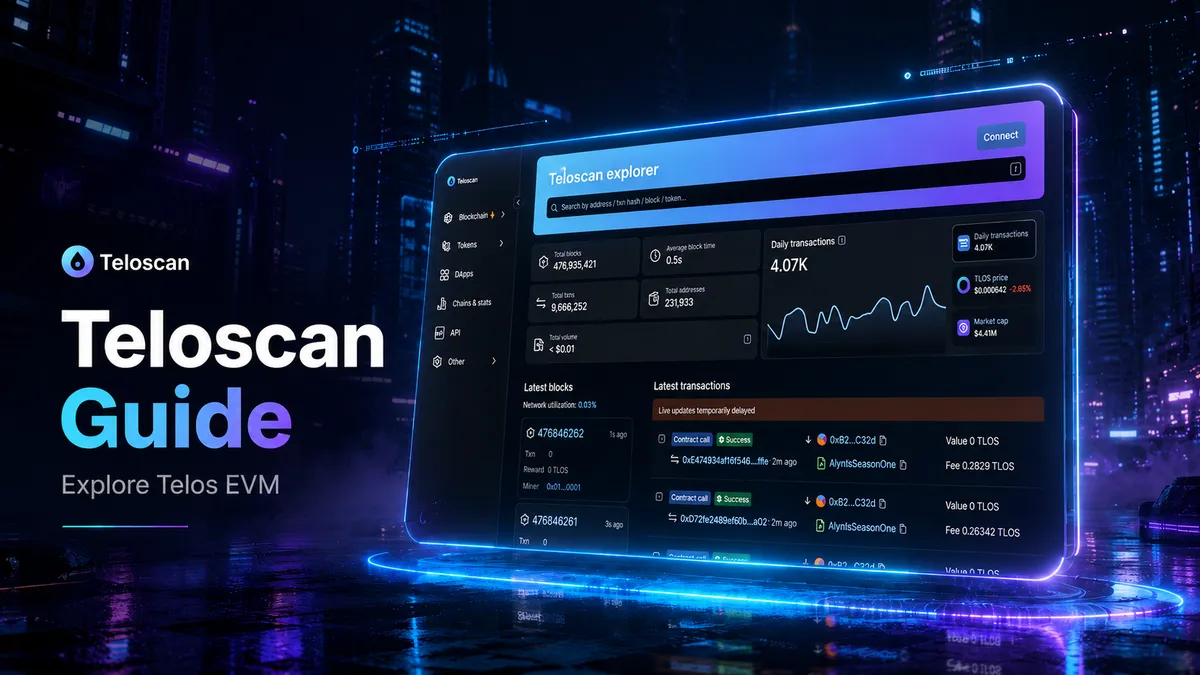
Quick answer
Teloscan is the main block explorer for Telos EVM.
You can use it to check wallet addresses, transactions, blocks, tokens and smart contracts on Telos EVM.
For new users, Teloscan is useful because it shows what is happening on-chain in a simple, public way.
If you send TLOS, use a Telos dApp, complete a Web3 action or interact with a smart contract, Teloscan helps you check that the transaction happened.
What is Teloscan?
Teloscan is the official Telos EVM block explorer. It is built for Telos EVM and lets users explore accounts, transactions, blocks and verified smart contracts.
A block explorer is like a search engine for a blockchain.
Instead of searching websites, you search blockchain activity.
On Teloscan, you can search for:
- Wallet addresses
- Transaction hashes
- Blocks
- Tokens
- Smart contracts
- Verified contract code
- Network activity
Telos Docs describe Teloscan as a Telos EVM block explorer built by the Telos Core Developers, with a familiar explorer interface for users.
Why Teloscan matters
Blockchain can feel confusing when you are new.
You connect a wallet.
You approve a transaction.
You wait for confirmation.
Then you wonder: did it work?
Teloscan helps answer that question.
It gives users a clear way to check what happened on Telos EVM.
This is useful for:
- New users checking wallet activity
- Quest users confirming an on-chain action
- NFT users checking token transfers
- DeFi users reviewing swaps or approvals
- Developers checking smart contracts
- Projects monitoring campaign activity
- Communities building trust through public data
For Afyniti users, Teloscan is especially useful because it helps people understand the actions they complete during Web3 campaigns.
Why Telos is good for on-chain activity
Telos is designed for fast and low-cost blockchain use.
Telos Docs describe the Telos ecosystem as having two chains: Telos EVM and Telos Zero. Telos EVM is the Ethereum-compatible environment, while Telos Zero is the native Telos layer.
Telos EVM is useful for users because it supports familiar Web3 wallets, dApps and smart contracts.
This matters because users do not want to wait a long time or pay high fees for simple actions.
Telos Docs list Telos EVM mainnet details as:
- Network name: Telos Mainnet
- RPC URL:
https://rpc.telos.net - Chain ID:
40 - Symbol:
TLOS - Explorer: Teloscan
What can you do on Teloscan?
1. Search a wallet address
You can paste a Telos EVM wallet address into Teloscan.
This lets you see:
- Wallet balance
- Recent transactions
- Tokens held
- Contract interactions
- Transfers in and out
This is useful if you want to check your own wallet or confirm that another address has received funds.
2. Check a transaction
Every blockchain transaction has a transaction hash.
A transaction hash is a unique ID for one transaction.
Paste the transaction hash into Teloscan to see:
- Transaction status
- Sender address
- Receiver address
- Amount transferred
- Gas fee
- Block number
- Time of transaction
- Contract interaction details
If a transaction says Success, it was completed on-chain.
If a transaction says Failed, the transaction was sent but did not complete as expected.
3. View tokens
Teloscan can show token activity on Telos EVM.
This helps users check:
- Token transfers
- Token contract addresses
- Token holders
- Token supply information
- Wallet token balances
This is useful when checking TLOS-related activity, wrapped assets or tokens used by Telos ecosystem apps.
4. Read smart contracts
Smart contracts are programs that run on-chain.
Teloscan lets users view and interact with verified contract ABIs, according to the Teloscan GitHub repository.
This is more useful for advanced users and developers.
A verified contract is easier to trust because users can inspect what the contract is supposed to do.
5. View blocks
Blocks are groups of transactions.
On Teloscan, users can inspect recent blocks and see network activity.
This gives a live view of what is happening on Telos EVM.
6. Use testnet
Teloscan also has a testnet version for developers and testers. Telos Docs list the Telos EVM testnet explorer as the testnet Teloscan explorer.
Testnet is useful for testing apps before using real funds on mainnet.
How to use Teloscan: simple step-by-step guide
Step 1: Open Teloscan
Go to Teloscan.
Use the main search bar at the top of the page.
Step 2: Search an address or transaction
Paste one of these into the search bar:
- A wallet address
- A transaction hash
- A block number
- A token contract
- A smart contract address
Then press search.
Step 3: Check the result type
Teloscan will show the page that matches your search.
For example:
- Wallet address page
- Transaction page
- Token page
- Contract page
- Block page
Step 4: Read the status
If you are checking a transaction, look for the transaction status.
The most important statuses are:
- Success: the transaction completed
- Failed: the transaction did not complete
- Pending: the transaction has not finished yet
Step 5: Check the sender and receiver
Look at the From and To fields.
These show where the transaction came from and where it went.
This is useful when checking transfers, quest actions or dApp activity.
Step 6: Check the amount and fee
Look for:
- Value sent
- Token transferred
- Gas fee
- Transaction cost
This helps you understand exactly what happened.
Step 7: Save the transaction link
If you need proof that a transaction happened, copy the Teloscan transaction page link.
This can be useful for support, campaign checks or your own records.
How Afyniti users can use Teloscan
Afyniti users can use Teloscan to understand their Telos EVM activity.
For example, you may use Teloscan to:
- Confirm a wallet transaction
- Check that TLOS was sent or received
- Review a smart contract interaction
- See activity linked to a campaign
- Understand what happened after signing a wallet action
- Share proof of an on-chain action
This helps make Web3 activity clearer.
Instead of trusting a hidden system, users can check public blockchain data themselves.
Teloscan for projects and builders
Teloscan is also useful for teams building on Telos.
Projects can use it to:
- Monitor contract activity
- Check user transactions
- Review token movement
- Verify deployed contracts
- Debug failed transactions
- Share transparent campaign data
- Help users with support issues
For campaign platforms like Afyniti, this matters because on-chain actions can be checked and understood.
A fast chain is useful.
A clear explorer makes it easier to trust.
Common Teloscan terms
Wallet address
A wallet address is your public blockchain address.
It is safe to share your public wallet address.
It is not safe to share your seed phrase or private key.
Transaction hash
A transaction hash is the unique ID for one blockchain transaction.
Use it to search for a specific transaction.
Block
A block is a group of transactions added to the blockchain.
Gas fee
A gas fee is the cost paid to process a transaction.
On Telos EVM, TLOS is used as the gas token. Telos Docs state that TLOS on Telos EVM is the gas token and does not have a contract address.
Smart contract
A smart contract is code that runs on-chain.
Apps use smart contracts to process actions such as transfers, swaps, staking, mints and claims.
Verified contract
A verified contract has public code or public interface data that users can inspect.
This makes it easier to understand what the contract does.
Simple safety tips when using Teloscan
Teloscan is a read-only explorer unless you connect your wallet or interact with a contract.
Still, you should be careful.
Follow these rules:
- Check that you are using the correct Teloscan website
- Never enter your seed phrase
- Never enter your private key
- Do not trust random links sent in DMs
- Check addresses before sending funds
- Send a small test transaction first
- Do not interact with contracts you do not understand
- Be careful with token approvals
- Use a hardware wallet for larger balances
Teloscan can help you see what happened, but it cannot reverse a transaction.
Teloscan vs a wallet
A wallet lets you sign transactions.
Teloscan lets you view transactions.
They are not the same thing.
Your wallet is used to:
- Send funds
- Connect to apps
- Sign messages
- Approve transactions
Teloscan is used to:
- Search addresses
- Check transactions
- View blocks
- Inspect tokens
- Review contract activity
Use both together.
Your wallet lets you act.
Teloscan lets you verify.
Why this matters for Web3 campaigns
Good Web3 campaigns need transparency.
Users should be able to understand what they are doing.
Projects should be able to track real activity.
Communities should be able to verify progress.
Teloscan helps with this because it gives everyone a public view of Telos EVM activity.
For Afyniti, this supports a better campaign experience.
Users can complete quests, check actions and learn how Web3 works at the same time.
Final thoughts
Teloscan is one of the most useful tools for anyone using Telos EVM.
It helps users check transactions, explore wallets, view tokens and understand smart contracts.
For beginners, it removes confusion.
For builders, it provides visibility.
For campaigns, it adds trust.
If you are new to Telos, start with three simple actions:
- Set up a Telos EVM wallet.
- Complete a small transaction.
- Search your wallet or transaction on Teloscan.
That is the easiest way to understand how Telos EVM activity works.
FAQ
What is Teloscan?
Teloscan is the official block explorer for Telos EVM. It lets users explore accounts, transactions, blocks and smart contracts.
What is a block explorer?
A block explorer is a search tool for blockchain activity. You can use it to search wallet addresses, transactions, tokens, blocks and contracts.
Is Teloscan for Telos EVM or Telos Zero?
Teloscan is for Telos EVM. Telos Docs list Teloscan under Telos EVM block explorers.
Can I use Teloscan with MetaMask?
Yes. Teloscan is used with Telos EVM activity, and Telos EVM uses standard EVM wallet addresses.
What is the Telos EVM Chain ID?
The Telos EVM mainnet Chain ID is 40.
What is the Telos EVM gas token?
TLOS is the gas token on Telos EVM.
Can Teloscan show failed transactions?
Yes. You can search a transaction hash and check whether the transaction succeeded or failed.
Can I reverse a transaction on Teloscan?
No. Teloscan lets you view blockchain activity. It cannot reverse transactions.
Is Teloscan useful for Afyniti users?
Yes. Afyniti users can use Teloscan to check wallet activity, transaction status and on-chain campaign actions.